How YouTube works
Google LLC · Video Players & Editors
Android
What it does
The world's largest video platform: watch and search long videos and Shorts, subscribe to channels, comment, save to playlists and download.
Who it is for: People who want to watch, search, and save online videos and Shorts, subscribe to channels, comment, and download.
Key features
Settings
General, playback, captions, notifications, privacy, about.
Light/dark theme
Appearance setting with device/light/dark.
Incognito mode
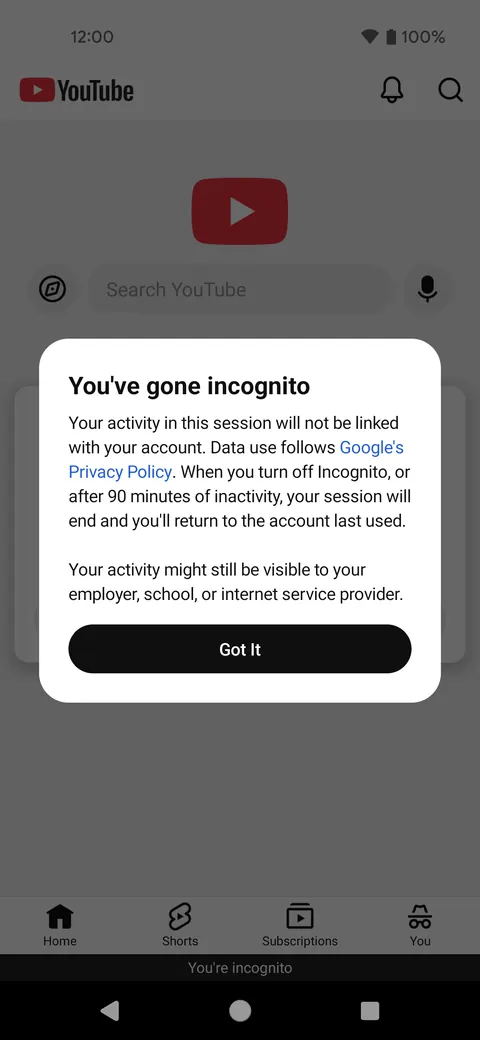
Browse without linking activity to the account; hides subscriptions and You content.
Shorts
Vertical short-video feed with like, comment, save, share, remix.
Video search
Autocomplete suggestions and filter chips (type, recency, live).
Comments
Sortable, threaded comments sheet on videos and Shorts.
The main user flow
- Search and watch a video
- Scroll Shorts
- Read comments
- Browse in incognito
- Change settings and theme
- Navigation
- Bottom tabs Home, Shorts, Create (+), Subscriptions, You; Home has chip tabs (Subs, Music, Live, Podcasts); top bar with bell and search.
- Onboarding
- None for an existing install; the farm account was already signed in, so mapped in Incognito to avoid personal data. Sign-up, upload and subscribe were not exercised.
- How it makes money
- Ads (pre-roll with Skip, sponsored cards in feeds and search); YouTube Premium upsell; Premium membership badge.
Screenshots
10 of 24 screens, captured on a real phone with sample data.
Home (incognito) Shorts player Search suggestions Settings Shorts comments sheet About Subscriptions (incognito) Search results (dark) Share sheet You've gone incognito - +14 more screensFree with an account
Screenshots: © Google LLC, shown for commentary.
See all 24 screens — create a free accountSee every screen
The full map has all 24 screens, every feature and where each one lives. It is free with an account.
What could be better
Our read of the map, the store listing and recent reviews.
Cap ad frequency and keep ads off the playing videomedium
Ads interrupt playback, repeat often and sometimes cover the video or comments. Cap ad breaks per minute, place them only between videos, and never overlay the player.
Make resume, queue and pause behaviour reliable before adding featureslarge
Playback stops, pauses on its own or loads a black screen. Test queue length, overnight play and pause state, and fix these before new features ship.
Keep subscriptions as a plain chronological feed with back navigationmedium
Users report the subscriptions page is gone, sort options vanished and channel pages lose the way back. Show new uploads from followed channels only, and keep the way back to the list.
Freeze the core layout and announce redesigns before they shipmedium
Repeated layout changes to cards, buttons and the home screen draw complaints. Keep the main layout stable, offer a preview, and let users switch back to the previous layout.
Let users hide Shorts from Home and Subscriptions feedssmall fix
Shorts crowd the home and subscription feeds and autoplay on launch. Add a toggle to hide Shorts from feeds and stop autoplay, while keeping a Shorts tab.
Keep the cast button on the home screen and hold the cast sessionmedium
The cast icon is missing from the main screen and sessions drop. Keep a cast button on Home and keep the device connected while songs or videos are added.
Show every playlist in the save sheet with a sort optionsmall fix
The save sheet guesses a playlist instead of listing all of them, and playlists can vanish. Show all playlists with alphabetical sort and a search field, and keep saved items stable.
Keep upsell screens out of the open and share pathssmall fix
A Premium ad appears on open and the share menu leads to a Premium ad. Show upsell only in settings or after an ad-free trial ends, and keep share and open fast.
Want an app like this, but better?
Tell us the idea. We research it, and build it for you.
Submit your idea