
How Zoom Workplace works
Zoom Communications, Inc. · Business
Android
What it does
Video meetings plus chat, docs, calendar and AI notes in one workplace app.
Who it is for: A workplace app for video meetings, chat, documents, calendar, and AI meeting notes.
Key features
Settings
Deep settings tree.
Chat, Docs, Hub
Team chat and docs.
Join by ID
Join a meeting without an account.
Scheduling
Create meetings/events.
Upgrade prompts
Pro trial and AI Notes upsells.
The main user flow
- Join a meeting by ID
- Sign up with email code
- Schedule a meeting
- Browse chat, canvas, hub
- Navigation
- Signed out: Welcome buttons. Signed in: bottom tabs Home, Chat, Canvas, Hub, More; avatar opens profile and settings.
- Onboarding
- Age year, email code, name and password, then notification, calendar, profile and Pro trial guides.
- How it makes money
- Free basic plan, with Workplace Pro free-trial banners and an AI My Notes upsell.
Screenshots
10 of 37 screens, captured on a real phone with sample data.
Home Join a meeting Search My Notes upsell Settings (signed out) Get notified More Tell others about Zoom About Welcome - +27 more screensFree with an account
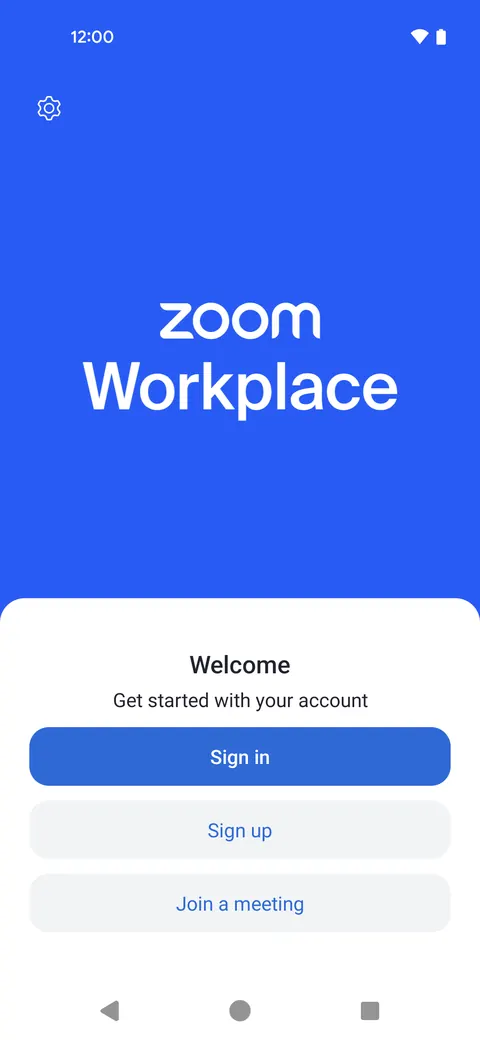
Screenshots: © Zoom Communications, Inc., shown for commentary.
See all 37 screens — create a free accountSee every screen
The full map has all 37 screens, every feature and where each one lives. It is free with an account.
What could be better
Our read of the map, the store listing and recent reviews.
Start meetings with mic and camera off by default and remember the last choicesmall fix
Reviews say mic and camera turn on by themselves and mute is ignored on entry. Default join to mic and camera off, keep the choice on the join form, and let users change it in settings.
Route call audio reliably to Bluetooth speakers, earbuds and watchesmedium
Users report audio stays on the phone or fails to connect to Bluetooth devices. Add a clear audio output picker that routes to the chosen device and stays on it during the call.
Show clear sign-in and sign-up errors with a retry pathmedium
Users are blocked at sign-in or sign-up, and some are told to sign in while already signed in. Show the exact error, keep the session state correct, and offer a retry or browser fallback.
Keep meetings connected through network changes and show rejoin statuslarge
Reviews describe meetings that crash, kick users out, or stick on the loading screen. Keep the call alive during brief network drops and show a visible reconnecting state instead of forcing a rejoin.
Show one paywall after a first win and cap upsell bannerssmall fix
Users say upsells crowd the app and interrupt calls. Limit upgrade prompts to one place after a completed task, and never show them during a meeting or as notification dots.
Let users hide or remove Home tiles and empty calendar cardssmall fix
Home fills with tiles and empty calendar events users never use, and the layout is hard to scan. Add a way to hide or remove Home items and default to a short list.
Cut onboarding to required steps and defer optional guidessmall fix
New users pass through five consecutive onboarding screens before using the app. Keep only account and permission steps up front and move calendar, profile and trial guides to later prompts.
Show update size and notify users before an old version stops workingmedium
Users report large update downloads and no notice before the app stops working. Show the download size before updating and send an in-app or system notice when an update is required.
Want an app like this, but better?
Tell us the idea. We research it, and build it for you.
Submit your idea